 Spawnly
Up and running in two minutes
Everything you need to know, in one page.
Getting started
Install the plugin
Get it from the Creator Store and open the Spawnly panel from the Plugins tab.
Sign in with Discord
On this site, press Sign in. Discord only tells us your name and id. The first time, you read and accept the Terms and Privacy Policy.
Press Connect
With Studio open, the Connect page shows your Studio. One click, and the panel signs itself in. If the page cannot see your Studio (a different network), type the four letters the panel shows.
Say what you want
Type it the way you would tell a friend. "Add a coin counter to the HUD." "The door does not open." "Make the trees look real." Cmd/Ctrl + Enter sends.
Tips
- Revert. Every script edit has a Revert button under Changes. Everything else undoes with Ctrl+Z.
- Bugs. Paste the error, or just say what is wrong; it reads the scripts and fixes it in place.
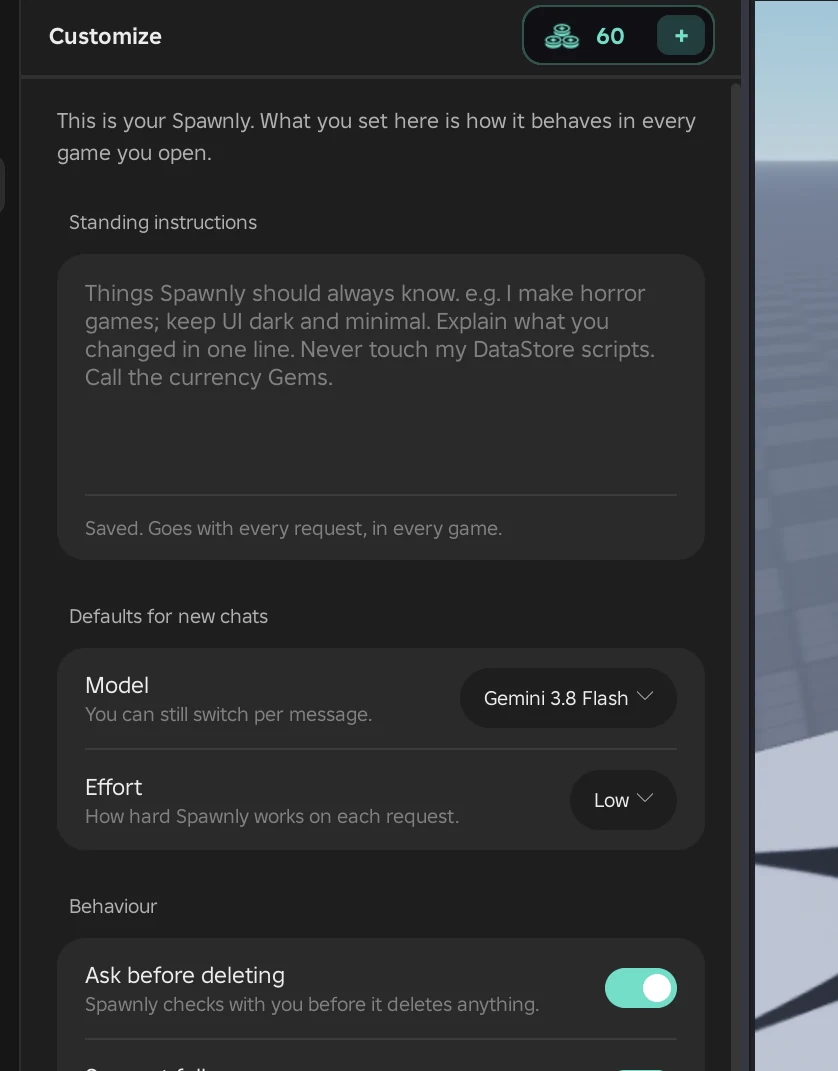
- Customize. Standing instructions and defaults live under Customize and apply in every game you open.
- Pictures and links. Paste a screenshot of a UI you like, or a Creator Store link, straight into the box.
- Big asks. Start with "plan" mode for a whole system; you get a plan to approve before it builds.
- Pick the model per message. Cheap ones for questions, Claude Sonnet for building. Which one, when.
If something is off
The panel says "Sign in"
Open Connect on this site and press Connect again. A Studio that has been signed out on the account page needs this too.
It says a request is still running
Press Stop in the panel, then send again.
"Not enough credits"
Buy a pack on your account page, from $5. Credits land right away.
Anything else
Email or a Discord ticket, whichever you prefer: Support and feedback.